
COBANDERNOODLE TOGETHER
A sketchpad for your whole band. Everyone records, writes, mixes and practices on their own computer; the song lives in the folder you already share.
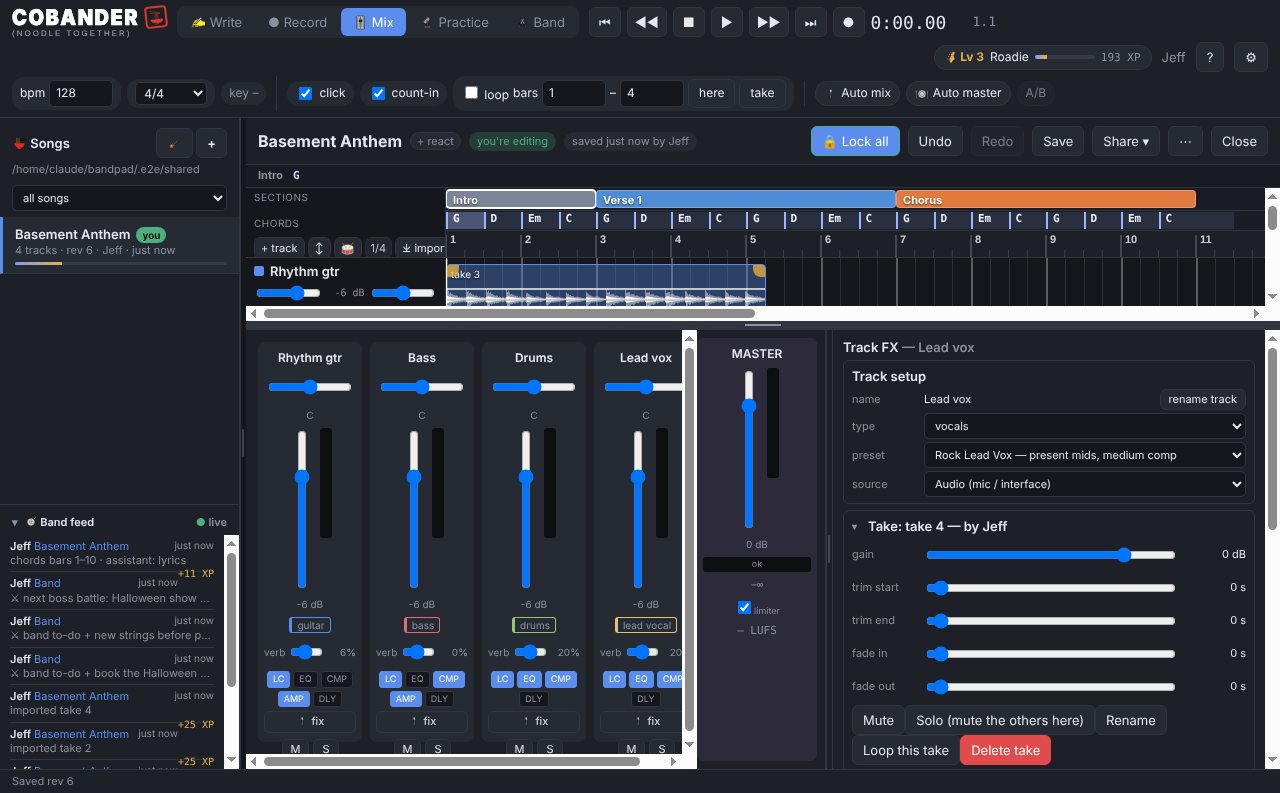
Somebody records a riff at 11 pm. By 11:01 it's on everyone else's screen, on its own track, in the right place in the song. The drummer adds a take at lunch. The singer pins the words to where she sings them. Nobody uploaded anything, nobody made an account, and nobody paid for a plan — the band's Google Drive (or OneDrive, iCloud, Dropbox) is the server.
It's for the band that has songs in a group chat and voice memos, not for mixing an album. Although it mixes pretty well.
The parts nobody else does
It writes the lyrics down for you
Sing the take. Cobander listens to the vocal, types the words, and pins each one to the moment you sang it — so the lyric sheet, the karaoke view and the chart all exist before anyone opens a notes app.
It hears the chords and builds the tabs
Record the guitar or the bass and it drafts the chord chart from the audio — bar by bar, with the bass line naming the roots. Guitar grips, capo-shifted, show up as a scrolling play-along lane so the rest of the band can learn it by watching.
It knows what key you're in, and can move it
The key is heard from the takes, not typed. Need it a step down for the singer? Transpose the whole song: the recordings, the MIDI, the chords and the chart move together, and the band hears the new key at the next sync.
Practice is a game, not a PDF
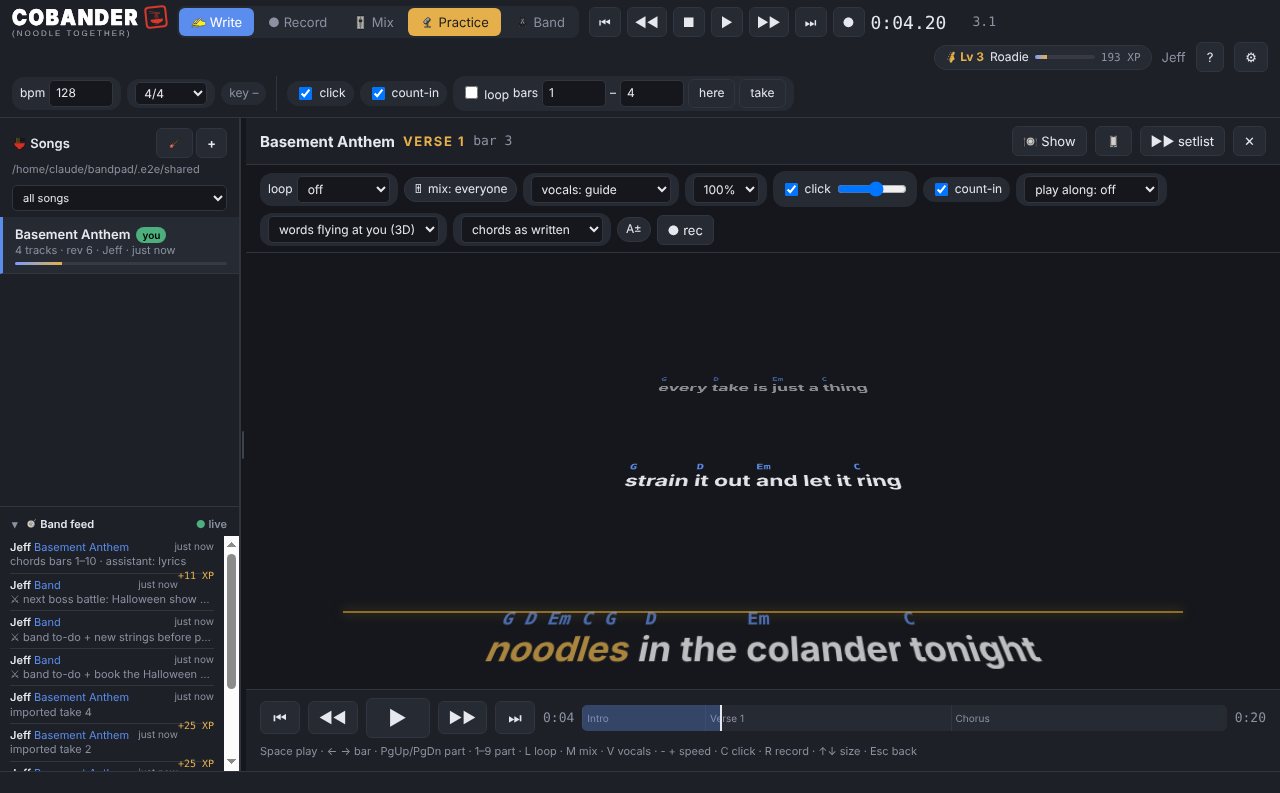
Words fly at you and land on the line when it's time to sing them. Loop the part you keep blowing, slow it down without changing pitch, take your own part out and play along with the rest, and let your phone follow on the music stand. Minutes count toward your level.
What it does
- WriteParts (intro, verse, chorus…), a chord lane, lyrics pinned where they're sung — speech-to-text runs on your computer — notes on the timeline, a parts bin, your own noodle pad for riffs.
- RecordArm a track, hit R. Lossless takes, punch in to fix one bar, keep several takes and comp the best bits, a tuner, a drum machine, MIDI guitar / bass / keys for sketching without a mic.
- MixFaders, pan, sends, EQ, compression, Auto mix, Auto master to a normal loudness, tighten a sloppy take to the grid, pitch check on vocals, a timing report, stems and a hand-off to a real DAW when a song outgrows it.
- PracticeBig words and chords that follow the song, loop a part, slow it down without changing pitch, take your own part out, a note highway of what to play, Show mode with a pedal, your phone follows along.
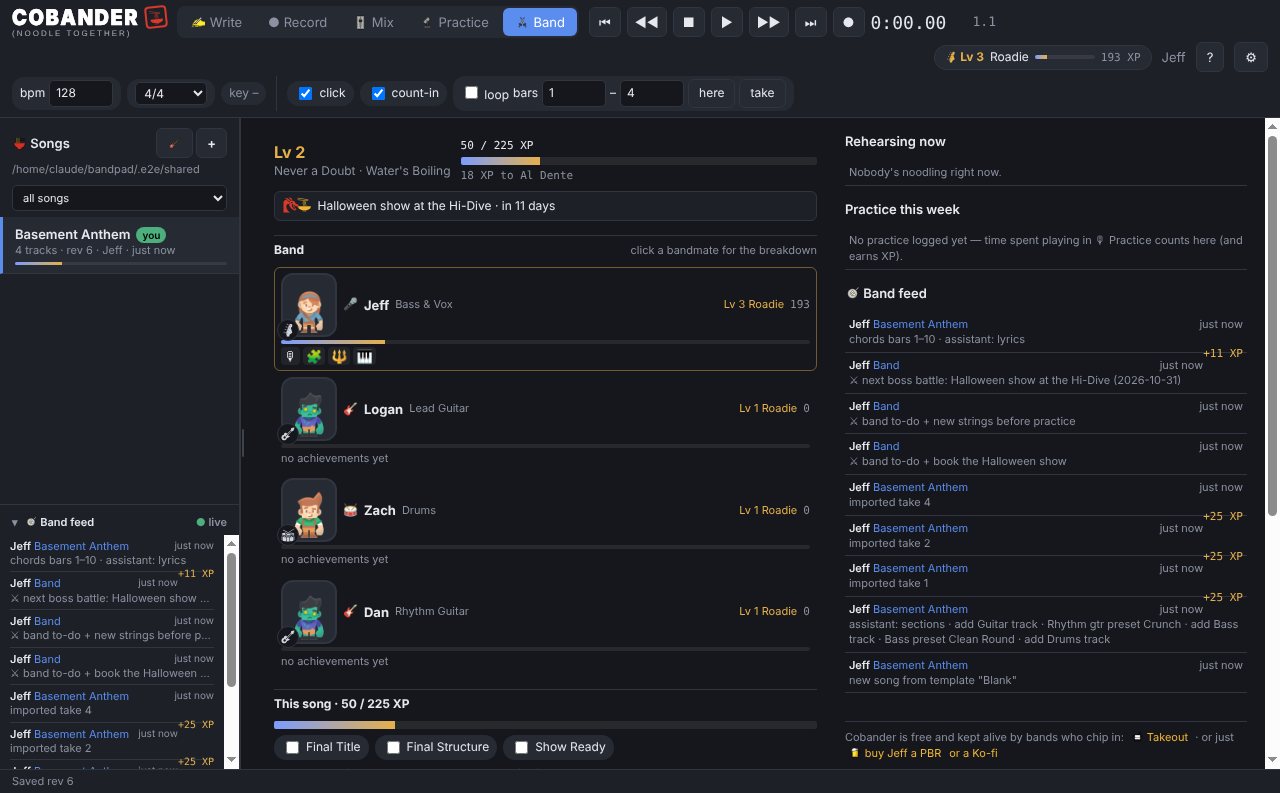
- BandLevels and achievements for everyone (pick your character), the setlist, a boss battle for the next show, loose ends, who's rehearsing right now.
- TogetherSong and track locks so two people can work on the same song at once, @mentions, a band feed, one-click updates — all through the shared folder. Hover anything in the app for a plain-English tip; F1 opens a glossary.
NO ACCOUNTS
NO SUBSCRIPTION
Send noods
Free Cobander is the whole app — every feature, every update — with one song per band. Sending noods gets you a key that lifts the limit for everyone in the band. Pay what the band can spare, once — one key for four people, not $90 a head.
Freethe whole app, one song. Windows and Mac, updates included — click to download$0First launch: Windows shows "Windows protected your PC" — click More info → Run anyway. Mac: right-click the app → Open. (The installers aren't code-signed yet; that's next.)
Other downloads: Windows · Mac (Apple silicon) · Mac (Intel)

Roadies
Bands who sent noods with extra sauce. They keep the lights on.
Setup, in one breath
- Open Cobander and type your name.
- Point it at a folder inside the cloud folder your band shares (Google Drive, OneDrive, iCloud Drive or Dropbox). Make a new one if you like:
Band stuff / Cobander. - Every bandmate does the same, same folder. That's it — songs, takes, chords and words show up for everyone within seconds.
Questions
Do we all need to pay?
No. One key covers the whole band — whoever pastes it into Cobander unlocks everyone, because it lives in the folder you share.
What's in the free version?
Everything. Write, Record, Mix, Practice, the Band page, sync, updates. The only limit is one song per band folder; Send noods lifts it. Folders that already hold more songs keep them all.
What if we don't share a cloud folder?
Make one — a free Google Drive or OneDrive account is enough. Cobander needs a folder every bandmate's computer syncs; that's the whole system. There's no Cobander server, which is why there's no subscription.
Is it a real DAW?
It records real takes, mixes with real EQ and compression, bounces stems, and hands the whole song off to a studio DAW with markers when it's ready for one. It is built for getting ideas down fast with a band, not for engineering a record.
Does my stuff leave my computer?
Only to your band's shared folder. No telemetry, no accounts, no uploads. Speech-to-text, chord detection and pitch check all run locally.
Windows says it "protected my PC"
That's SmartScreen not recognising a new, unsigned installer. Click More info, then Run anyway. On a Mac, right-click Cobander → Open the first time. Code signing is on the list; until then this is the one speed bump.
Mac or Windows?
Both. One person on a Mac and three on Windows works fine — it's all files in a folder.